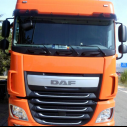
Ghidul Complet și Detaliat pentru Începătorii în Transportul Rutier de Marfă: De la ZERO la Operator Licențiat
Industria transporturilor rutiere este coloana vertebrală a comerțului european, dar este puternic reglementată prin Pachetul Mobilitate. Succesul depinde de respectarea strictă a legii, o planificare financiară solidă și o înțelegere profundă a logisticii.
1. Fundamentele Legale și Licențierea Obligatorie
Înainte de a cumpăra primul vehicul, trebuie să îți asiguri statutul legal de operator de transport rutier la Autoritatea Rutieră Română (ARR).
A. Certificarea Competenței Profesionale (CPC)
Persoana care conduce efectiv operațiunile de transport ale firmei (Proprietarul sau un Angajat) trebuie să fie Manager de Transport certificat.
Certificat | Detalii | Importanță |
CPC Marfă | Se obține prin cursuri (200 ore) și examen la ARR. Este dovada competenței profesionale a managerului. | Fără acest certificat, firma NU poate obține Licența Comunității. |
Buna Reputație | Managerul de transport și administratorul firmei nu trebuie să aibă condamnări sau sancțiuni administrative grave legate de transport. | Condiție eliminatorie. Un istoric de încălcări grave (ex: manipularea tahografului) duce la pierderea bunei reputații și retragerea licenței. |
B. Licența Comunității și Copiile Conforme
Licența Comunității (valabilă 10 ani) este permisul de operare pe teritoriul UE.
Copia Conformă (valabilă 1 an): Fiecare vehicul din flotă trebuie să aibă o copie conformă a licenței la bord. Acestea se reînnoiesc anual pe baza ITP-ului și a dovezii capacității financiare.
Pragurile Critice de Tonaj:
Sub $2,5 \text{ tone}$ MMA: Nu necesită Licență Comunității pentru transport național și este cel mai simplu mod de a începe (fără tahograf, fără CPC obligatoriu).
Peste $2,5 \text{ tone}$ MMA: Este pragul de la care începe birocrația serioasă. ATENȚIE: Pentru transport internațional, cerința de licențiere pentru vehiculele între $2,5 \text{ t} - 3,5 \text{ t}$ a devenit obligatorie.
C. Capacitatea Financiară: Suma de Garanție (Garanția Legală)
Dovada stabilității financiare este vitală. Banii trebuie să fie neangajați și accesibili.
Cum se demonstrează: Cel mai comun mod este printr-o Garanție Bancară sau prin capital social și rezerve menționate în bilanțul contabil.
Valori minime (vehicule peste $3,5 \text{ t}$):
Valori minime (vehicule între $2,5 \text{ t} - 3,5 \text{ t}$):
2. Analiza Costurilor Reale de Operare
Mulți începători eșuează din cauza calculului greșit al costului real pe kilometru.
A. Costuri Fixe (Lunare, indiferent de rulaj)
Cost Fix | Descriere | Detalii |
Amortizarea Vehiculului | Suma pe care o pui deoparte pentru a înlocui camionul la finalul ciclului său (sau rata de leasing). | Crucial pentru sustenabilitate. Trebuie calculată din fiecare cursă. |
Salarizarea/Diurna | Salariul fix al șoferului + Diurna (dacă este transport internațional). | Diurna este cea mai mare parte a costului șoferului și trebuie acoperită din tariful cursei. |
Asigurări și Taxe | Asigurarea obligatorie RCA și, mai important, asigurarea CMR (pentru marfă), Casco (opțional), Taxe de drum anuale. | Asigurarea CMR este vitală! Fără ea, răspunzi cu tot capitalul firmei pentru marfa avariată. |
Administrativ | Abonament bursă marfă (Timocom, 123cargo), Contabilitate, Abonament GPS/Fleet Management. | Aceste abonamente sunt necesare pentru a găsi curse și a monitoriza flota. |
B. Costuri Variabile (Pe Kilometru Rulat)
Combustibil (Motorina): Costul dominant. Trebuie monitorizat consumul real (litri/100 km).
Toll (Taxe de Drum și Viniete): Taxele specifice fiecărei țări (ex: Toll Collect în Germania, Autostrada în Italia, EETS).
Mentenanță și Reparații: Anvelope, schimburi de ulei, reparații neașteptate. O sumă fixă pe km trebuie alocată pentru acest fond.
3. Echiparea Tehnică și Logistica de Bază
Vehiculul și accesoriile sale trebuie să fie pregătite pentru rigorile drumului și controale.
A. Echipament de Monitorizare și Control
Tahograful Inteligent G2V2: Trebuie să fie instalat și calibrat corespunzător. Operatorul trebuie să aibă un sistem de descărcare a datelor de pe cardul șoferului și din unitatea vehiculului (la fiecare 28 de zile, respectiv 90 de zile).
Sistemul de Gestiune a Flotei (FMS): Un modul GPS avansat care oferă date despre locație, consum de combustibil și stilul de condus (pentru eficientizare).
B. Asigurarea Mărfii (Calare și Ancorare)
Un profesionist nu se bazează pe expeditor.
Chingi și Colțari: Trebuie să fie certificate și dimensionate corect pentru greutatea mărfii. Marfa trebuie fixată astfel încât să nu se miște sub forța de frânare sau în viraje (încărcare de 0.8g față, 0.5g lateral/spate).
Documentația CMR: Scrisoarea de transport nu este doar un document legal, ci și dovada tipului și cantității mărfii.
4. Probleme Frecvente și Capcane pentru Începători
Cunoașterea acestor obstacole este esențială pentru supraviețuire în primii ani.
4.1. Neînțelegerea Pachetului Mobilitate
Lipsa de Repaus: Nerespectarea regulilor de Repaus Săptămânal Normal (45 de ore) în afara cabinei și neîntoarcerea șoferului la bază sau reședință o dată la patru săptămâni atrag amenzi europene extrem de mari, plătite de firma de transport.
Neînregistrarea Trecerilor de Frontieră: Odată cu noul tahograf (G2V2), înregistrarea este automată. Pe cele vechi, eșecul de a introduce manual simbolul țării la trecerea frontierei este sancționat.
4.2. Capcana Tarifului Mic (Sub-Tarifarea)
Multe firme noi preiau curse la tarife mici doar pentru a menține roțile în mișcare.
Impact: Rulajul la tarife mici acoperă doar costul combustibilului și al șoferului, dar nu reușește să acopere amortizarea și fondul de reparații. Rezultatul este o mașină care se uzează, dar nu generează bani pentru a fi înlocuită.
Soluție: Calculează-ți costul real pe kilometru (inclusiv amortizarea!) și nu accepta curse sub acest prag.
4.3. Dependența de Bursele de Marfă
Deși bursele sunt necesare, dependența exclusivă de ele menține marjele mici.
Soluție: Odată cu experiența, începe să contactezi direct clienți finali (expeditori) sau case de expediție mari și stabile pentru a negocia contracte pe termen lung, care oferă tarife mai bune și predictibilitate.
4.4. Riscul Nefacturării (Neplata Curselor)
Impact: Un client care nu plătește o factură poate falimenta o firmă nouă cu capital mic.
Soluție: Verifică reputația și bonitatea clientului/casei de expediție pe care o servești (sunt disponibile rapoarte de risc pe platformele de transport). Achiziționează, eventual, o asigurare de credit pentru facturi.





 Vizitator